
mail.com: Email app & Cloud
1&1 Mail & Media IncCommunication
4.512.83K Reviews
- Version
- 9.15.1
- Installs
- 1.00M
- Age Rating
- Everyone
Screenshots

Our Review of mail.com: Email app & Cloud
 Analysis by Appyee
The part of mail.com: Email app & Cloud I find most useful is the way it brings email and cloud file storage into the same routine. That pairing changes a small but familiar chore: instead of leaving an attachment buried in a message, I can treat it as a file I may want to find again later. It is a practical idea for people who handle receipts, forms, travel details, or work documents through email, though it works best when you are comfortable keeping those items organized in a separate storage space.
Why keeping email and files together matters
Email is often where a document arrives, but it is not always where I want to keep it. A message thread can grow, get mixed in with unrelated replies, or become difficult to search when I only remember the attachment rather than the sender. Cloud storage offers a different way to think about that material: save the file for later, then return to the inbox when I need the conversation around it.
That distinction is useful in ordinary situations. I might receive a booking confirmation with a document attached, save the file for quick access, and leave the email as the record of who sent it. The app’s combined approach gives those two things a place in one communication workflow without requiring me to treat every attachment as something I must keep in my inbox forever.
The benefit is less about replacing a full file-management system and more about reducing the number of places I have to check for everyday items. If most of your important files arrive by email, having mail and cloud storage close together can make the handoff feel more natural. If your work begins in a separate team drive or document platform, the advantage may be smaller.
A calmer way to handle attachments
My practical tip is to decide what deserves to leave the inbox before saving it. A temporary menu or a duplicate copy of a document may not need long-term storage, while a form you expect to revisit is a better candidate. Making that choice at the moment the email arrives can prevent cloud storage from becoming another crowded folder that needs its own cleanup.
I would also keep the original message when its context matters. A saved file is useful on its own, but the email can explain why it was sent, which version is current, or what action still needs to happen. For anything time-sensitive, I would avoid assuming that moving or saving an attachment means the related task is finished; the app can help with access, but I still need a personal system for follow-up.
This is where the combined setup feels more useful than simply forwarding an attachment to myself or leaving it in an inbox indefinitely. It encourages a small, repeatable habit: read the message, decide whether the file is worth keeping, and store it where I can look for it later. That habit is more valuable than saving every attachment automatically, which can create clutter rather than solve it.
Where it fits among email choices
Compared with using a provider’s basic mail app, mail.com has a clearer appeal if you want a custom email address and cloud storage to be part of the same experience. A standard inbox may be enough for people who mainly read and reply to messages, while this app is more compelling when you want to shape your address and keep emailed files close at hand.
It is not automatically a better choice than a dedicated cloud drive or a workplace email tool. A separate file service may suit someone who collaborates on large projects or already has an established folder system. Likewise, people who rely on specialized work features should check that their usual workflow fits before switching. I see this app as a convenient personal hub, not a universal replacement for every mail and storage service.
One question worth asking before installing it is whether you want a new mail identity or simply another way to read an existing account. Its custom-address angle is most useful if you are ready to use that address consistently; if you only want a unified inbox for accounts you already have, that benefit may matter less. The right choice depends on whether the address itself is part of what you want to change.
Another practical consideration is how much storage you actually need and how you prefer to manage it. I would start by saving a few files I know I will revisit, then see whether the organization feels natural before moving more of my routine into the app. The free price makes it approachable, but in-app purchases range from $0.99 to $39.99 per item, so I would check what any paid option covers before buying rather than assuming every feature is included.
Who is likely to get the most from it
I think the app is a good fit for someone who wants a personal email address with a more individual feel and who regularly receives files they need to keep. It can also make sense for people who prefer one mobile destination for correspondence and everyday attachments instead of bouncing between unrelated apps. Its communication focus is clear, and the combination feels tailored to personal use rather than an elaborate office workflow.
On the other hand, I would skip it if your current mail setup already handles your needs and you have no interest in a custom address or connected cloud storage. People who depend on a particular provider’s specialized tools, or who organize documents in a shared service with colleagues, may be better off keeping that existing setup. Switching is only worthwhile when the features solve a real friction point, not simply because another inbox is available.
A realistic use case is a busy day of arranging a trip: a confirmation arrives, I save the attachment I will need later, and I keep the message available for the details around it. The same pattern works for household paperwork or an appointment document. It is a modest convenience, but repeated small conveniences are exactly where an email-and-storage combination can earn its place.
There are also sensible questions about getting started. The app is free to download, rated for Everyone, and developed by 1&1 Mail & Media Inc. It has an average rating of 4.4 from around 145,000 ratings, with over 1 million installs. It first appeared on May 5, 2011, and version 9.2.1 requires Android 9 or later. Those details make it easy to judge basic compatibility, but I would still check the current purchase options and the device’s available space before making it my main email app.
If you use several mail identities, I would begin with the account you check most often and spend a few days testing the everyday flow before relying on it for everything. Notice whether you can find recent messages and saved documents without changing your habits too much. That trial is a better test than moving every account at once, especially if an address is tied to important services or other people expect you to use it.
Ever find yourself drowning in a sea of emails? I’ve been there. Managing multiple accounts can feel like juggling fire, especially when trying to keep everything organized. Enter mail.com: Email app & Cloud, a nifty app that promises to make email management a breeze. Let’s dive into what this app has to offer and whether it lives up to its promises.
First Impressions and Setup
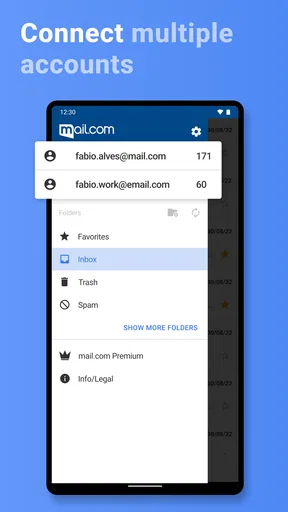
When I first downloaded the mail.com: Email app & Cloud, I was pleasantly surprised by the clean and intuitive interface. Setting up my accounts was a piece of cake. The app supports a variety of email providers, so I easily integrated my Gmail, Yahoo, and Outlook accounts. With just a few taps, everything was synced and ready to go.
Features That Stand Out
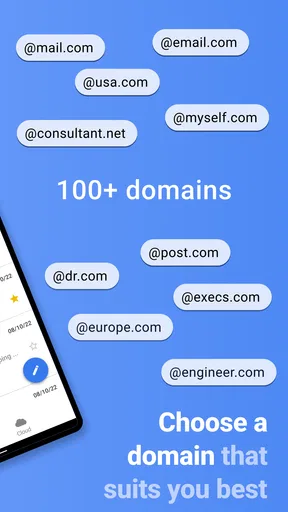
One feature I particularly love is the customizable email domains. If you’re like me and want a unique email address, this is your jam. You can choose from a plethora of domain names, making your email stand out in the crowd.
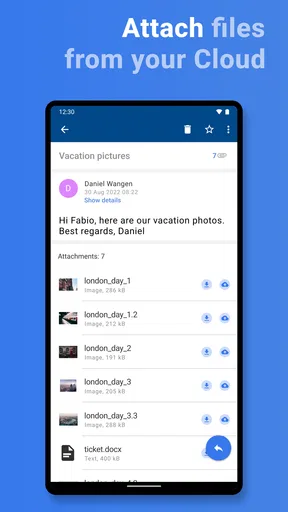
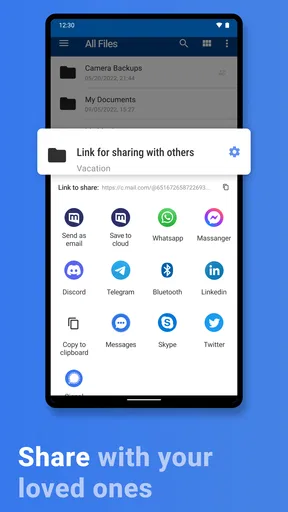
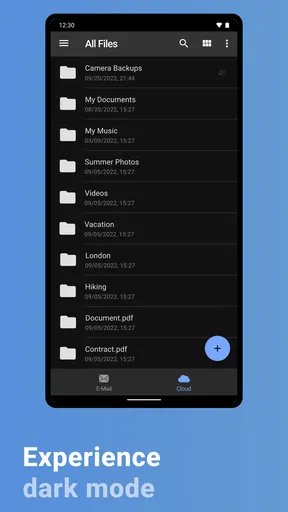
Another highlight is the integrated cloud storage. The app offers a generous amount of storage space, allowing me to save important attachments directly to the cloud. This means no more searching through endless email threads to find that one document. It’s all neatly stored and easily accessible.
The app also has a smart inbox feature that automatically categorizes emails. This is a game-changer for anyone who receives tons of newsletters and promotional emails. It prioritizes important emails, ensuring I never miss a crucial message from my boss!
User Experience and Performance
Let’s talk speed. The app is fast. Like, really fast. Emails load instantly, and switching between accounts is seamless. I’ve used other email apps that lag when trying to open emails with large attachments, but not this one. It handles everything with ease.
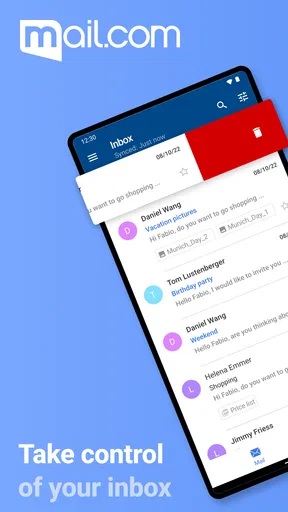
Navigation is straightforward. The app’s design is minimalistic, which is great because it keeps distractions to a minimum. I can focus on what matters—my emails—without getting lost in a maze of unnecessary features.
Security and Privacy
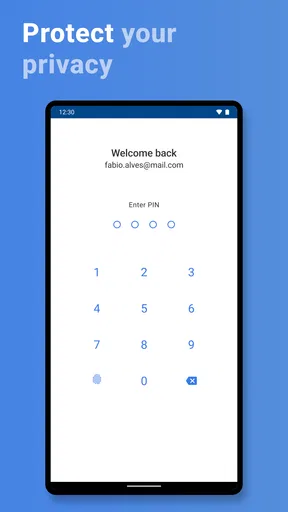
In today’s digital age, security and privacy are top priorities. The app uses state-of-the-art encryption to protect your emails and data. I feel confident knowing that my information is secure. Plus, there’s a two-factor authentication option for an extra layer of security. It’s like having a virtual bodyguard for your emails.
What Could Be Improved
While the app ticks most boxes, there are a few areas for improvement. The email search function is decent but could be more robust. Sometimes, finding older emails requires a bit of patience. Additionally, while the app is free, some features are locked behind a premium subscription. It’s not a deal-breaker, but something to consider if you’re looking for full functionality without shelling out a few bucks.
Final Thoughts
Overall, mail.com: Email app & Cloud is a solid choice for anyone looking to streamline their email management. Its user-friendly interface, customizable options, and robust security make it a standout in the crowded field of email apps. While it’s not perfect, its strengths far outweigh its weaknesses.
So, if you’re tired of your current email setup or just want to try something new, give this app a whirl. You might just find that managing your emails isn’t the chore it once was.
Ready to take the plunge? You can download mail.com: Email app & Cloud from your app store and start your journey to a more organized inbox today!
Verdict
Strengths of mail.com: Email app & Cloud
- Intuitive and clean user interface.
- Supports multiple email accounts.
- Integrated cloud storage feature.
- Advanced security and encryption.
- Customizable themes and layouts.
Limitations of mail.com: Email app & Cloud
- Occasional sync delays.
- Limited cloud storage capacity.
- Ads in free version.
- No offline access for emails.
- Premium features are paid only.
Similar Picks in This Category
View All
Google Messages
Google LLC4.6

Gmail
Google LLC4.1

Google Meet
Google LLC4.4

Google Chrome
Google LLC4.1

WhatsApp Messenger
WhatsApp LLC4.6

Carrier Services
Google LLC4.2
Frequently Asked Questions
What features does the mail.com app offer?
The mail.com app provides a comprehensive suite of features including customizable email domains, cloud storage integration, a user-friendly interface, and enhanced security options. Users can access emails from multiple devices, manage folders, and set up notifications for important messages. Additionally, it offers calendar and contact synchronization to streamline communication.
Is the mail.com app secure for managing emails?
Yes, mail.com offers robust security measures to ensure user data is protected. It includes two-factor authentication, SSL encryption, and anti-spam filters to prevent unauthorized access and phishing attempts. The app's security features ensure that emails and personal information are kept confidential and secure from potential threats.
Can I use multiple email addresses with mail.com?
Absolutely. The mail.com app allows users to manage multiple email accounts within a single interface. This feature is ideal for those who need to juggle personal and professional communications. Users can easily switch between mailboxes, making it convenient to keep all correspondence organized and accessible at any time.
How much cloud storage does mail.com offer?
mail.com provides users with a generous amount of free cloud storage to store emails, documents, and other files. The exact amount can vary, but it typically starts at a baseline that is competitive with other email providers. Users can upgrade their storage capacity if they require more space for their digital assets.
Is the mail.com app compatible with my device?
The mail.com app is compatible with most Android and iOS devices. It requires a relatively recent operating system version to ensure optimal functionality and security. Users can download the app from the Google Play Store or the Apple App Store, and the installation process is straightforward, with easy-to-follow instructions.
